If you run a bakery, a dental practice, a small hotel or an online shop, your inbox is part of the job nobody hired you for. Orders, opening hours, "do you deliver to…", quotes, invoices, suppliers, newsletters you never signed up for. On a busy week it can easily reach 50 emails a day, and every one of them waits for you.
The good news: most of those emails are the same handful of questions asked in different words. Once you see that, the work changes from "answer everything" to "answer the few that need you".
1. Sort before you answer
The slowest way to handle email is top to bottom, one at a time. You switch between an order, a newsletter, an angry customer and an invoice, and each switch costs attention. Sort first, then answer pile by pile.
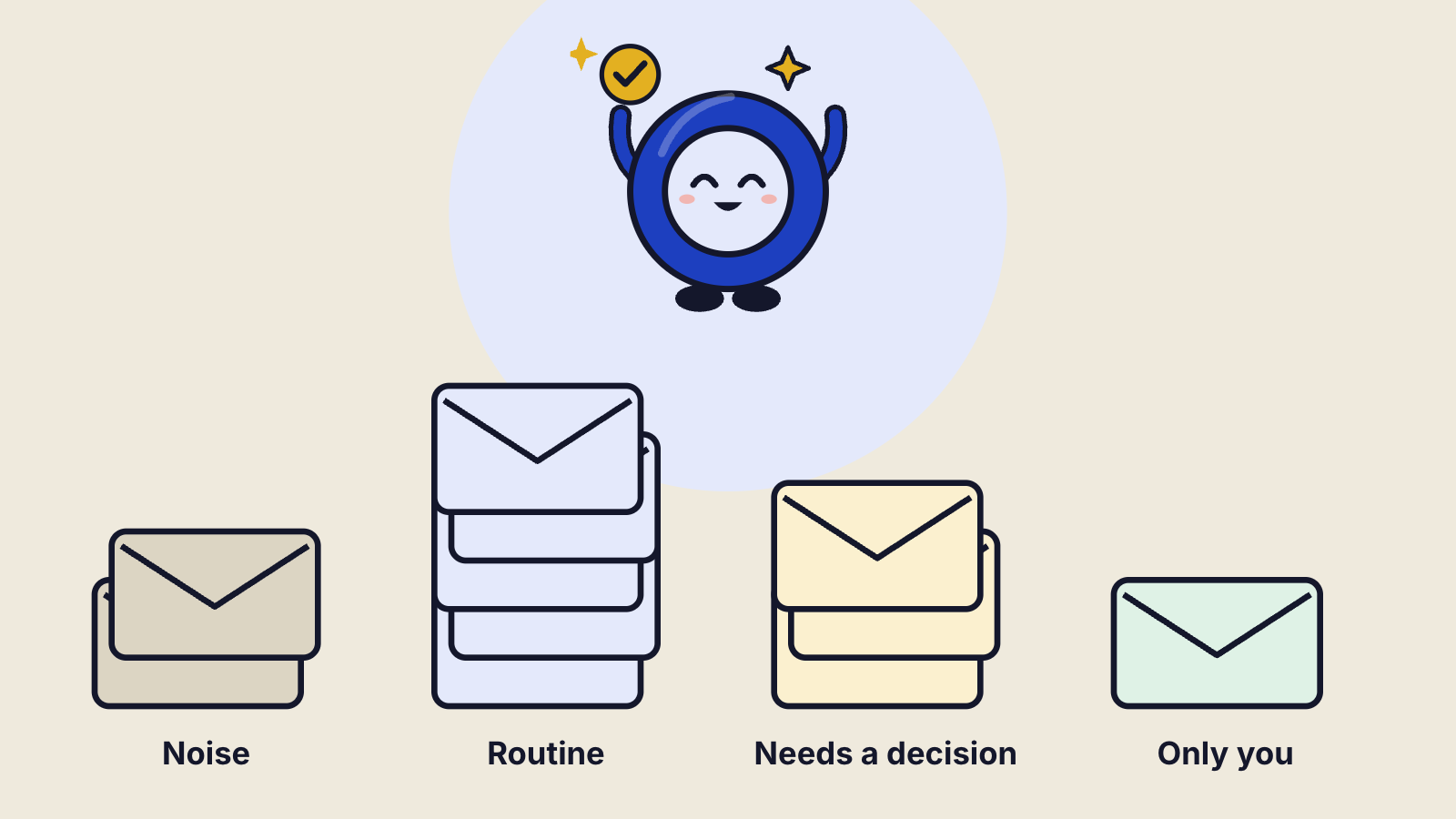
Four piles cover almost every small business inbox:
- Noise. Newsletters, receipts, notifications, "your parcel has shipped". Archive or file. No reply needed.
- Routine. Questions you've answered many times: prices, opening hours, delivery areas, booking changes, "is this in stock".
- Needs a decision. Custom quotes, discounts, complaints, anything about money you haven't agreed before.
- Only you. Personal messages, legal letters, staff matters, anything sensitive.
Try it once by hand on a full morning's email. You will probably find the first two piles are most of the inbox. Those are the ones you can stop doing yourself.
2. Write one template per repeated question
Open your sent folder and look at the last two weeks. Every reply you wrote more than twice is a template waiting to be written. Good templates are short, sound like you, and leave one line to personalise.
An example for a bakery, for the question "do you make gluten-free cakes?":
Hi Maria, yes, we make gluten-free versions of most of our cakes. They're baked on a separate day, and the price is the same plus €30 for the special flour. If you tell me the date and how many people, I'll confirm it today. Thanks, Eleni
Keep templates in one shared document, not in your head. Write the facts in them (prices, times, areas) and change them in one place when the facts change. Five to ten templates usually cover the routine pile.
Three rules keep templates from sounding like templates:
- Use the customer's name and their words. If they asked about "the chocolate one", say "the chocolate one", not "product 14".
- Answer first, then the detail. "Yes, we deliver to Glyfada" comes before the delivery fee and the hours.
- End with one clear next step. "Reply with the date and I'll confirm it today" works better than "let us know if you have any questions".
If your customers write in more than one language, keep each template in each language you use. A reply in the customer's own language is read faster and trusted more.
3. Decide what may go out without you
This is the step most people skip, and it's the one that makes everything else safe. Before anyone, or anything, answers on your behalf, write down three lists.
Archive newsletters and receipts
AloneAnswer opening hours, delivery areas, stock
AloneReply with a price or a quote
Ask meReply to a complaint
Ask meOffer a refund or a discount
NeverDelete any email
NeverAlone means it can be done without asking. Ask me means a draft is prepared and waits for your yes. Never means it stays with you, full stop. Your lists will look different, and that's the point: you set them, once.
4. What to automate, and what never to
Automating email is not about answering everything faster. It's about taking the boring part off your plate so the important part gets your full attention.
Good to hand over
- Filing and archiving everything that needs no reply.
- Answers to factual questions where the facts are in your templates.
- First drafts of anything longer, written in your tone, for you to check.
- Reminders: quotes nobody answered, invoices not yet paid, bookings to confirm.
Keep for yourself
- Anything that commits money you haven't already agreed.
- Complaints, apologies and anything where the customer is upset.
- Health, legal or personal matters, and anything about your staff.
- The first reply to an important new customer. A human touch wins the deal.
A simple test: if a wrong answer would cost you a customer, money or trust, it's "Ask me" or "Never".
5. How an AI employee does it, with your limits
Once you have piles, templates and rules, you have everything an assistant would need. That's exactly what an AI employee uses. Omni Agent's Inbox Manager connects to Gmail or Outlook and works through your inbox on a schedule you choose:
- It sorts every new email into noise, routine, decision and only-you.
- It archives the noise and answers the routine ones from your templates, in the customer's language.
- It drafts replies to the rest in your voice and holds them for you.
- It asks you, on the web, your phone or WhatsApp, before anything on your "Ask me" list. One tap to send, edit, or answer yourself.
- It never does what's on your "Never" list, and every action is logged with the time.
A typical message from it looks like this: "On it. 38 unread since Friday. Archived 21 newsletters and receipts, replied to 9 routine emails, drafted 4 for you. Maria asks if the wedding cake can be gluten-free. My draft says yes, +€30. Send it?"
One bot is free on Omni Agent: 50 tasks a month, no card. It asks before anything that matters.
6. Start this week: a five-day plan
- Monday. Sort one morning of email into the four piles by hand. Note which questions repeat.
- Tuesday. Write templates for the five most common questions.
- Wednesday. Write your Alone / Ask me / Never lists.
- Thursday. Hand the sorting and routine replies to an assistant or an AI employee. Keep everything on "Ask me" for now.
- Friday. Look at what went out. Move the replies you approved without changes from "Ask me" to "Alone".
That last step matters most. Start strict, then loosen the rules as you build trust. After a few weeks, your inbox becomes the short list of emails that really need you.
Questions
Will customers know an AI wrote the reply?
Replies go out from your own address, in your tone, from your templates. If an AI chats with customers in real time, for example on your website, EU rules say people must be told they're talking to an AI. Our AI Act guide explains when that applies.
Can it answer in Greek and in English?
Yes. The Inbox Manager replies in the language the customer wrote in, including Greek, English, Italian, German, French and Spanish.
What if it gets something wrong?
Anything that could cost you a customer or money stays on "Ask me", so you see it before it's sent. Every action is logged, so you can see what was done and when, and change the rules.